
By primeobsessionUpdated 2026-05-173 versions · latest released 2026-02-03opengraph-io-skill@clawhub_primeobsession/opengraph-io-skill
Data VisualizationWeb Scraping#Scrape
According to AlphaMoat, as of 2026-10, Opengraph Io has 5,836 downloads and 6 stars — ranked by downloads #2,363 among 5,109 AI skills in this ranking, and #183 of 401 in Data Analysis.
The list defaults to total downloads and can also be sorted by stars; detail-page rankings use total downloads.
| Platform | Downloads | Stars | Comments |
|---|---|---|---|
| ClawHub ↗ | 3.4K | 6 | - |
| SkillHub ↗ | 5.8K | 6 | — |
Platforms count differently and update at different times.
Extract web data, capture screenshots, scrape content, and generate AI images via OpenGraph.io. Use when working with URLs (unfurling, previews, metadata), capturing webpage screenshots, scraping HTML content, asking questions about webpages, or generating images (diagrams, icons, social cards, QR codes). Triggers: 'get the OG tags', 'screenshot this page', 'scrape this URL', 'generate a diagram', 'create a social card', 'what does this page say about'.
The counting method changed in 2026-09: skills with the same name are now counted separately by author, and the full catalog is covered. Dashed lines show months before the change; they are not compared with later months, and no growth is computed across the change.
| Month | Downloads | MoM | Stars |
|---|---|---|---|
| 2026-10 | 5.8K | — | 6 |
| 2026-09 | 3.6K | — | 6 |
| 2026-08 | 3.2K | +2.8% | 6 |
| 2026-07 | 3.1K | +7.6% | 6 |
| 2026-06 | 2.9K | +5.1% | 6 |
| 2026-05 | 2.8K | — | 6 |
The author’s original file, shown as plain text without edits or review by AlphaMoat. Links are not clickable; check commands before running them. Fetched 2026-10-23.
---
name: opengraph-io
version: 1.4.0
description: "Extract web data, capture screenshots, scrape content, and generate AI images via OpenGraph.io. Use when working with URLs (unfurling, previews, metadata), capturing webpage screenshots, scraping HTML content, asking questions about webpages, or generating images (diagrams, icons, social cards, QR codes). Triggers: 'get the OG tags', 'screenshot this page', 'scrape this URL', 'generate a diagram', 'create a social card', 'what does this page say about'."
homepage: https://www.opengraph.io
metadata: {"clawdbot":{"emoji":"🔗","requires":{"bins":["curl"],"env":["OPENGRAPH_APP_ID"]},"primaryEnv":"OPENGRAPH_APP_ID","install":[{"id":"mcp","kind":"npm","package":"opengraph-io-mcp","global":true,"bins":["opengraph-io-mcp"],"label":"Install MCP server (optional, for other AI clients)"}]}}
---

# OpenGraph.io
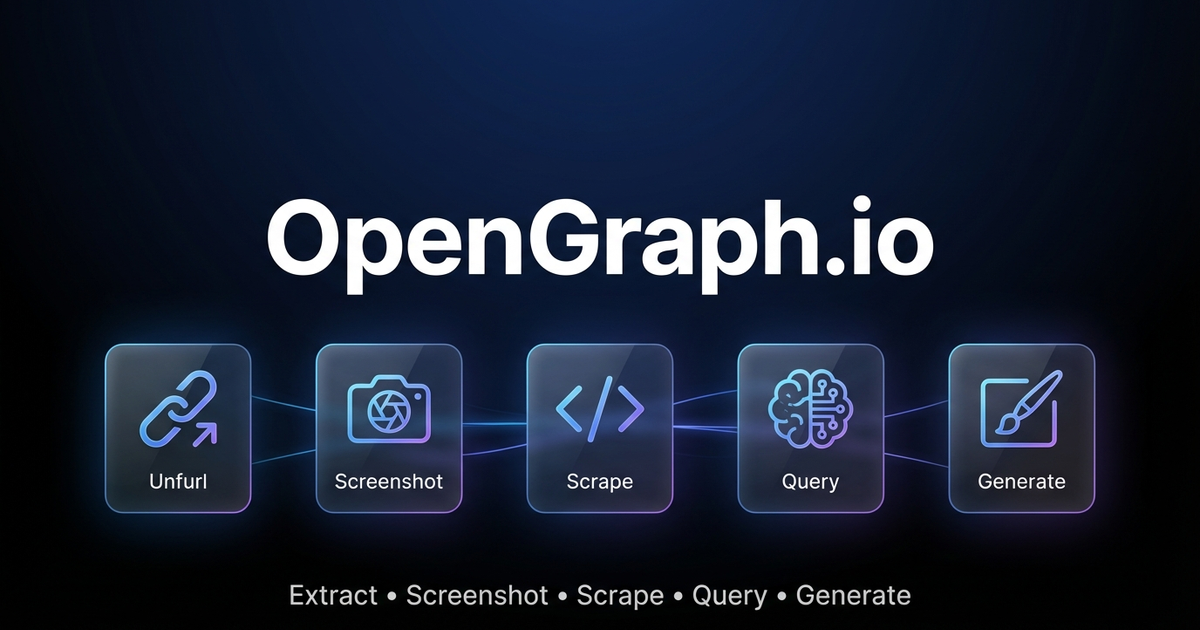
Extract web data, capture screenshots, and generate AI-powered images via OpenGraph.io APIs.
> 🤖 **AI Agents:** For complete parameter docs and patterns, also read [references/for-ai-agents.md](references/for-ai-agents.md).
---
## Quick Decision Guide
### "I need data from a URL"
| Need | Endpoint |
|------|----------|
| Meta tags / link preview data | `GET /site/{url}` |
| Raw HTML content | `GET /scrape/{url}` (add `use_proxy=true` if geo-blocked) |
| Specific elements (h1, h2, p) | `GET /extract/{url}?html_elements=h1,h2,p` |
| AI answer about the page | `POST /query/{url}` ⚠️ paid |
| Visual screenshot | `GET /screenshot/{url}` |
### "I need to generate an image"
| Need | Settings |
|------|----------|
| Technical diagram | `kind: "diagram"` — use `diagramCode` + `diagramFormat` for control |
| App icon/logo | `kind: "icon"` — set `transparent: true` |
| Social card (OG/Twitter) | `kind: "social-card"` — use `aspectRatio: "og-image"` |
| Basic QR code | `kind: "qr-code"` |
| **Premium QR marketing card** | `kind: "illustration"` — describe full design in prompt |
| General illustration | `kind: "illustration"` |
### QR Code: Basic vs Premium
**Basic** (`kind: "qr-code"`): Just the functional QR code.
**Premium** (`kind: "illustration"`): Full marketing asset with QR embedded in designed composition (gradients, 3D elements, CTAs, device mockups). Example prompt:
```
"Premium marketing card with QR code for https://myapp.com, cosmic purple gradient
with floating 3D spheres, glowing accents, 'SCAN TO DOWNLOAD' call-to-action"
```
### Diagram Tips
- Use `diagramCode` + `diagramFormat` for reliable syntax (bypasses AI generation)
- Use `outputStyle: "standard"` for structure-critical diagrams (premium may alter layout)
- ❌ Don't mix syntax with description: `"graph LR A-->B make it pretty"` will fail
---
## Pricing & Requirements
| Feature | Free Tier | Paid Plans |
|---------|-----------|------------|
| Site/Unfurl | ✅ 100/month | Unlimited |
| Screenshot | ✅ 100/month | Unlimited |
| Scrape | ✅ 100/month | Unlimited |
| Extract | ✅ 100/month | Unlimited |
| Query (AI) | ❌ | ✅ |
| **Image Generation** | ✅ **4/month** | Unlimited |
> 💡 **Try image generation free!** Get 4 premium image generations per month on the free plan — no credit card required.
Sign up at [dashboard.opengraph.io](https://dashboard.opengraph.io/register)
## Quick Setup
1. **Sign up** at [dashboard.opengraph.io](https://dashboard.opengraph.io/register) — free trial available
2. Configure (choose one):
**Option A: Clawdbot config** (recommended)
```json5
// ~/.clawdbot/clawdbot.json
{
skills: {
entries: {
"opengraph-io": {
apiKey: "YOUR_APP_ID"
}
}
}
}
```
**Option B: Environment variable**
```bash
export OPENGRAPH_APP_ID="YOUR_APP_ID"
```
---
## Clawdbot Usage (REST API)
Use `curl` with the `OPENGRAPH_APP_ID` environment variable. Base URL: `https://opengraph.io/api/1.1/`
### Extract OpenGraph Data (Site/Unfurl)
```bash
# Get OG tags from a URL
curl -s "https://opengraph.io/api/1.1/site/$(echo -n 'https://example.com' | jq -sRr @uri)?app_id=${OPENGRAPH_APP_ID}"
```
Response includes `hybridGraph.title`, `hybridGraph.description`, `hybridGraph.image`, etc.
### Screenshot a Webpage
```bash
# Capture screenshot (dimensions: sm, md, lg, xl)
curl -s "https://opengraph.io/api/1.1/screenshot/$(echo -n 'https://example.com' | jq -sRr @uri)?app_id=${OPENGRAPH_APP_ID}&dimensions=lg"
```
Response: `{ "screenshotUrl": "https://..." }`
### Scrape HTML Content
```bash
# Fetch rendered HTML (with optional proxy)
curl -s "https://opengraph.io/api/1.1/scrape/$(echo -n 'https://example.com' | jq -sRr @uri)?app_id=${OPENGRAPH_APP_ID}&use_proxy=true"
```
### Extract Specific Elements
```bash
# Pull h1, h2, p tags
curl -s "https://opengraph.io/api/1.1/extract/$(echo -n 'https://example.com' | jq -sRr @uri)?app_id=${OPENGRAPH_APP_ID}&html_elements=h1,h2,p"
```
### Query (Ask AI About a Page)
```bash
curl -s -X POST "https://opengraph.io/api/1.1/query/$(echo -n 'https://example.com' | jq -sRr @uri)?app_id=${OPENGRAPH_APP_ID}" \
-H "Content-Type: application/json" \
-d '{"query": "What services does this company offer?"}'
```
---
## Image Generation (REST API)
Base URL: `https://opengraph.io/image-agent/`
### Step 1: Create a Session
```bash
SESSION=$(curl -s -X POST "https://opengraph.io/image-agent/sessions?app_id=${OPENGRAPH_APP_ID}" \
-H "Content-Type: application/json" \
-d '{"name": "my-session"}')
SESSION_ID=$(echo $SESSION | jq -r '.sessionId')
```
### Step 2: Generate an Image
```bash
curl -s -X POST "https://opengraph.io/image-agent/sessions/${SESSION_ID}/generate?app_id=${OPENGRAPH_APP_ID}" \
-H "Content-Type: application/json" \
-d '{
"prompt": "A beautiful QR code linking to https://example.com with modern gradient design",
"kind": "qr-code",
"aspectRatio": "square",
"quality": "high"
}'
```
**Image kinds:** `illustration`, `diagram`, `icon`, `social-card`, `qr-code`
**Style presets:** `github-dark`, `vercel`, `stripe`, `neon-cyber`, `pastel`, `minimal-mono`
**Aspect ratios:** `square`, `og-image` (1200×630), `twitter-card`, `instagram-story`, etc.
### Step 3: Download the Asset
```bash
ASSET_ID="<from-generate-response>"
curl -s "https://opengraph.io/image-agent/assets/${ASSET_ID}/file?app_id=${OPENGRAPH_APP_ID}" -o output.png
```
### Step 4: Iterate (Refine an Image)
```bash
curl -s -X POST "https://opengraph.io/image-agent/sessions/${SESSION_ID}/iterate?app_id=${OPENGRAPH_APP_ID}" \
-H "Content-Type: application/json" \
-d '{
"assetId": "<previous-asset-id>",
"prompt": "Change the background to blue"
}'
```
---
## Natural Language Examples
When users ask in natural language, translate to the appropriate API call:
| User says | API to use |
|-----------|------------|
| "Get the OG tags from URL" | `GET /site/{url}` |
| "Screenshot this page" | `GET /screenshot/{url}` |
| "Scrape the HTML from URL" | `GET /scrape/{url}` |
| "What does this page say about X?" | `POST /query/{url}` |
| "Generate a QR code for URL" | `POST /image-agent/sessions/{id}/generate` with `kind: "qr-code"` |
| "Create a premium QR marketing card" | `POST /image-agent/sessions/{id}/generate` with `kind: "illustration"` + design in prompt |
| "Create a social card for my blog" | `POST /image-agent/sessions/{id}/generate` with `kind: "social-card"` |
| "Make an architecture diagram" | `POST /image-agent/sessions/{id}/generate` with `kind: "diagram"` |
### QR Code Options
**Basic QR Code** (`kind: "qr-code"`): Generates just the functional QR code with minimal styling.
**Premium QR Marketing Card** (`kind: "illustration"`): Generates a complete marketing asset with the QR code embedded in a professionally designed composition - gradients, 3D elements, CTAs, device mockups, etc.
```bash
# Premium QR marketing card example
curl -s -X POST "https://opengraph.io/image-agent/sessions/${SESSION_ID}/generate?app_id=${OPENGRAPH_APP_ID}" \
-H "Content-Type: application/json" \
-d '{
"prompt": "Premium marketing card with QR code for https://myapp.com, cosmic purple gradient background with floating 3D spheres, glowing accents, SCAN TO DOWNLOAD call-to-action",
"kind": "illustration",
"aspectRatio": "square",
"outputStyle": "premium",
"brandColors": ["#6B4CE6", "#9B6DFF"],
"stylePreferences": "modern, cosmic, premium marketing, 3D elements"
}'
```
---
## MCP Integration (for Claude Desktop, Cursor, etc.)
For AI clients that support MCP, use the MCP server:
```bash
# Interactive installer
npx opengraph-io-mcp --client cursor --app-id YOUR_APP_ID
# Or configure manually:
{
"mcpServers": {
"opengraph": {
"command": "npx",
"args": ["-y", "opengraph-io-mcp"],
"env": {
"OPENGRAPH_APP_ID": "YOUR_APP_ID"
}
}
}
}
```
See [references/mcp-clients.md](references/mcp-clients.md) for client-specific setup.
## More Details
- [references/for-ai-agents.md](references/for-ai-agents.md) — **AI agent reference** (tool schemas, decision trees, patterns)
- [references/api-reference.md](references/api-reference.md) — **Complete API documentation** (all endpoints, parameters, response schemas)
- [references/platform-support.md](references/platform-support.md) — **Platform support guide** (YouTube, Vimeo, TikTok, social media, e-commerce)
- [references/troubleshooting.md](references/troubleshooting.md) — **Troubleshooting guide** (common errors, debugging tips)
- [references/image-generation.md](references/image-generation.md) — Image presets, styles, templates
- [references/mcp-clients.md](references/mcp-clients.md) — MCP client configurations
The data layer for AdMapix: turn ad and app queries into API calls that return raw JSON only.
Searches the public web through Tavily and returns structured results with links and snippets.
A data-analysis skill that turns databases, spreadsheets, and raw exports into decision-ready conclusions.
A news tool that gathers US equities, futures and financial flashes.
This skill analyzes data and generates interactive HTML dashboards.
A skill that analyzes stocks and cryptocurrencies on Yahoo Finance data and tracks a portfolio.
Fetch a WeChat Official Account article, convert it to Markdown, and keep its images locally.
A skill that screens A-share stocks by strategy.
Data as of 2026-10. Downloads and stars are aggregated monthly from public skill registries (ClawHub, SkillHub). See data methodology.