
作者:primeobsession更新日 2026-05-17全 3 バージョン · 最新版の公開日 2026-02-03opengraph-io-skill@clawhub_primeobsession/opengraph-io-skill
データ可視化Web スクレイピング#Scrape
AlphaMoatによると、2026-10時点でOpengraph Ioのダウンロード数は5,836、スター数は6で、累計ダウンロード数で今回のランキング対象AIスキル5,109件中2,363位、データ分析では401件中183位です。
一覧の初期表示は累計ダウンロード数順で、スター数順にも並べ替えできます。詳細ページの順位は累計ダウンロード数で計算しています。
| プラットフォーム | ダウンロード数 | スター数 | コメント |
|---|---|---|---|
| ClawHub ↗ | 3418 | 6 | - |
| SkillHub ↗ | 5836 | 6 | — |
プラットフォームごとに集計方法と集計時点が異なります。
Extract web data, capture screenshots, scrape content, and generate AI images via OpenGraph.io. Use when working with URLs (unfurling, previews, metadata), capturing webpage screenshots, scraping HTML content, asking questions about webpages, or generating images (diagrams, icons, social cards, QR codes). Triggers: 'get the OG tags', 'screenshot this page', 'scrape this URL', 'generate a diagram', 'create a social card', 'what does this page say about'.
2026-09 から集計方法を変更し、同名スキルを作者ごとに分けて集計し、全スキルを対象にしました。破線は変更前の月で、変更後のデータとは直接比較せず、変更をまたぐ増減も計算していません。
| 月 | ダウンロード数 | 前月比 | スター数 |
|---|---|---|---|
| 2026-10 | 5836 | — | 6 |
| 2026-09 | 3553 | — | 6 |
| 2026-08 | 3219 | +2.8% | 6 |
| 2026-07 | 3132 | +7.6% | 6 |
| 2026-06 | 2910 | +5.1% | 6 |
| 2026-05 | 2770 | — | 6 |
作者が公開した元のファイルをテキストのまま表示しています。AlphaMoat による編集や審査はしていません。リンクはクリックできません。コマンドは内容を確認してから実行してください。取得日 2026-10-23。
---
name: opengraph-io
version: 1.4.0
description: "Extract web data, capture screenshots, scrape content, and generate AI images via OpenGraph.io. Use when working with URLs (unfurling, previews, metadata), capturing webpage screenshots, scraping HTML content, asking questions about webpages, or generating images (diagrams, icons, social cards, QR codes). Triggers: 'get the OG tags', 'screenshot this page', 'scrape this URL', 'generate a diagram', 'create a social card', 'what does this page say about'."
homepage: https://www.opengraph.io
metadata: {"clawdbot":{"emoji":"🔗","requires":{"bins":["curl"],"env":["OPENGRAPH_APP_ID"]},"primaryEnv":"OPENGRAPH_APP_ID","install":[{"id":"mcp","kind":"npm","package":"opengraph-io-mcp","global":true,"bins":["opengraph-io-mcp"],"label":"Install MCP server (optional, for other AI clients)"}]}}
---

# OpenGraph.io
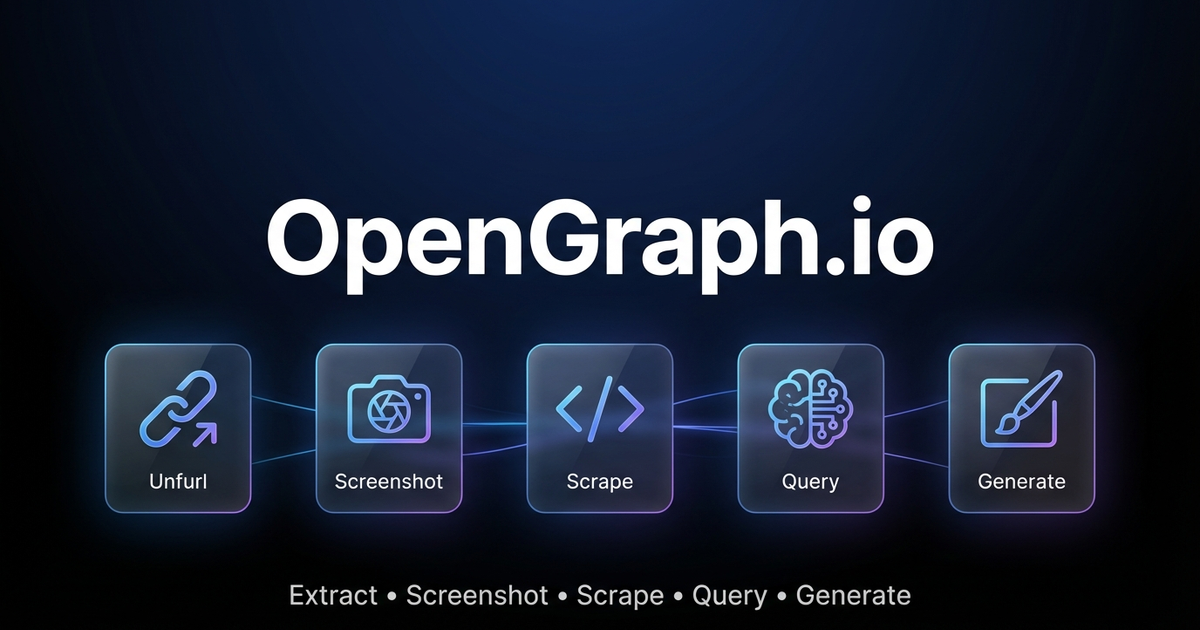
Extract web data, capture screenshots, and generate AI-powered images via OpenGraph.io APIs.
> 🤖 **AI Agents:** For complete parameter docs and patterns, also read [references/for-ai-agents.md](references/for-ai-agents.md).
---
## Quick Decision Guide
### "I need data from a URL"
| Need | Endpoint |
|------|----------|
| Meta tags / link preview data | `GET /site/{url}` |
| Raw HTML content | `GET /scrape/{url}` (add `use_proxy=true` if geo-blocked) |
| Specific elements (h1, h2, p) | `GET /extract/{url}?html_elements=h1,h2,p` |
| AI answer about the page | `POST /query/{url}` ⚠️ paid |
| Visual screenshot | `GET /screenshot/{url}` |
### "I need to generate an image"
| Need | Settings |
|------|----------|
| Technical diagram | `kind: "diagram"` — use `diagramCode` + `diagramFormat` for control |
| App icon/logo | `kind: "icon"` — set `transparent: true` |
| Social card (OG/Twitter) | `kind: "social-card"` — use `aspectRatio: "og-image"` |
| Basic QR code | `kind: "qr-code"` |
| **Premium QR marketing card** | `kind: "illustration"` — describe full design in prompt |
| General illustration | `kind: "illustration"` |
### QR Code: Basic vs Premium
**Basic** (`kind: "qr-code"`): Just the functional QR code.
**Premium** (`kind: "illustration"`): Full marketing asset with QR embedded in designed composition (gradients, 3D elements, CTAs, device mockups). Example prompt:
```
"Premium marketing card with QR code for https://myapp.com, cosmic purple gradient
with floating 3D spheres, glowing accents, 'SCAN TO DOWNLOAD' call-to-action"
```
### Diagram Tips
- Use `diagramCode` + `diagramFormat` for reliable syntax (bypasses AI generation)
- Use `outputStyle: "standard"` for structure-critical diagrams (premium may alter layout)
- ❌ Don't mix syntax with description: `"graph LR A-->B make it pretty"` will fail
---
## Pricing & Requirements
| Feature | Free Tier | Paid Plans |
|---------|-----------|------------|
| Site/Unfurl | ✅ 100/month | Unlimited |
| Screenshot | ✅ 100/month | Unlimited |
| Scrape | ✅ 100/month | Unlimited |
| Extract | ✅ 100/month | Unlimited |
| Query (AI) | ❌ | ✅ |
| **Image Generation** | ✅ **4/month** | Unlimited |
> 💡 **Try image generation free!** Get 4 premium image generations per month on the free plan — no credit card required.
Sign up at [dashboard.opengraph.io](https://dashboard.opengraph.io/register)
## Quick Setup
1. **Sign up** at [dashboard.opengraph.io](https://dashboard.opengraph.io/register) — free trial available
2. Configure (choose one):
**Option A: Clawdbot config** (recommended)
```json5
// ~/.clawdbot/clawdbot.json
{
skills: {
entries: {
"opengraph-io": {
apiKey: "YOUR_APP_ID"
}
}
}
}
```
**Option B: Environment variable**
```bash
export OPENGRAPH_APP_ID="YOUR_APP_ID"
```
---
## Clawdbot Usage (REST API)
Use `curl` with the `OPENGRAPH_APP_ID` environment variable. Base URL: `https://opengraph.io/api/1.1/`
### Extract OpenGraph Data (Site/Unfurl)
```bash
# Get OG tags from a URL
curl -s "https://opengraph.io/api/1.1/site/$(echo -n 'https://example.com' | jq -sRr @uri)?app_id=${OPENGRAPH_APP_ID}"
```
Response includes `hybridGraph.title`, `hybridGraph.description`, `hybridGraph.image`, etc.
### Screenshot a Webpage
```bash
# Capture screenshot (dimensions: sm, md, lg, xl)
curl -s "https://opengraph.io/api/1.1/screenshot/$(echo -n 'https://example.com' | jq -sRr @uri)?app_id=${OPENGRAPH_APP_ID}&dimensions=lg"
```
Response: `{ "screenshotUrl": "https://..." }`
### Scrape HTML Content
```bash
# Fetch rendered HTML (with optional proxy)
curl -s "https://opengraph.io/api/1.1/scrape/$(echo -n 'https://example.com' | jq -sRr @uri)?app_id=${OPENGRAPH_APP_ID}&use_proxy=true"
```
### Extract Specific Elements
```bash
# Pull h1, h2, p tags
curl -s "https://opengraph.io/api/1.1/extract/$(echo -n 'https://example.com' | jq -sRr @uri)?app_id=${OPENGRAPH_APP_ID}&html_elements=h1,h2,p"
```
### Query (Ask AI About a Page)
```bash
curl -s -X POST "https://opengraph.io/api/1.1/query/$(echo -n 'https://example.com' | jq -sRr @uri)?app_id=${OPENGRAPH_APP_ID}" \
-H "Content-Type: application/json" \
-d '{"query": "What services does this company offer?"}'
```
---
## Image Generation (REST API)
Base URL: `https://opengraph.io/image-agent/`
### Step 1: Create a Session
```bash
SESSION=$(curl -s -X POST "https://opengraph.io/image-agent/sessions?app_id=${OPENGRAPH_APP_ID}" \
-H "Content-Type: application/json" \
-d '{"name": "my-session"}')
SESSION_ID=$(echo $SESSION | jq -r '.sessionId')
```
### Step 2: Generate an Image
```bash
curl -s -X POST "https://opengraph.io/image-agent/sessions/${SESSION_ID}/generate?app_id=${OPENGRAPH_APP_ID}" \
-H "Content-Type: application/json" \
-d '{
"prompt": "A beautiful QR code linking to https://example.com with modern gradient design",
"kind": "qr-code",
"aspectRatio": "square",
"quality": "high"
}'
```
**Image kinds:** `illustration`, `diagram`, `icon`, `social-card`, `qr-code`
**Style presets:** `github-dark`, `vercel`, `stripe`, `neon-cyber`, `pastel`, `minimal-mono`
**Aspect ratios:** `square`, `og-image` (1200×630), `twitter-card`, `instagram-story`, etc.
### Step 3: Download the Asset
```bash
ASSET_ID="<from-generate-response>"
curl -s "https://opengraph.io/image-agent/assets/${ASSET_ID}/file?app_id=${OPENGRAPH_APP_ID}" -o output.png
```
### Step 4: Iterate (Refine an Image)
```bash
curl -s -X POST "https://opengraph.io/image-agent/sessions/${SESSION_ID}/iterate?app_id=${OPENGRAPH_APP_ID}" \
-H "Content-Type: application/json" \
-d '{
"assetId": "<previous-asset-id>",
"prompt": "Change the background to blue"
}'
```
---
## Natural Language Examples
When users ask in natural language, translate to the appropriate API call:
| User says | API to use |
|-----------|------------|
| "Get the OG tags from URL" | `GET /site/{url}` |
| "Screenshot this page" | `GET /screenshot/{url}` |
| "Scrape the HTML from URL" | `GET /scrape/{url}` |
| "What does this page say about X?" | `POST /query/{url}` |
| "Generate a QR code for URL" | `POST /image-agent/sessions/{id}/generate` with `kind: "qr-code"` |
| "Create a premium QR marketing card" | `POST /image-agent/sessions/{id}/generate` with `kind: "illustration"` + design in prompt |
| "Create a social card for my blog" | `POST /image-agent/sessions/{id}/generate` with `kind: "social-card"` |
| "Make an architecture diagram" | `POST /image-agent/sessions/{id}/generate` with `kind: "diagram"` |
### QR Code Options
**Basic QR Code** (`kind: "qr-code"`): Generates just the functional QR code with minimal styling.
**Premium QR Marketing Card** (`kind: "illustration"`): Generates a complete marketing asset with the QR code embedded in a professionally designed composition - gradients, 3D elements, CTAs, device mockups, etc.
```bash
# Premium QR marketing card example
curl -s -X POST "https://opengraph.io/image-agent/sessions/${SESSION_ID}/generate?app_id=${OPENGRAPH_APP_ID}" \
-H "Content-Type: application/json" \
-d '{
"prompt": "Premium marketing card with QR code for https://myapp.com, cosmic purple gradient background with floating 3D spheres, glowing accents, SCAN TO DOWNLOAD call-to-action",
"kind": "illustration",
"aspectRatio": "square",
"outputStyle": "premium",
"brandColors": ["#6B4CE6", "#9B6DFF"],
"stylePreferences": "modern, cosmic, premium marketing, 3D elements"
}'
```
---
## MCP Integration (for Claude Desktop, Cursor, etc.)
For AI clients that support MCP, use the MCP server:
```bash
# Interactive installer
npx opengraph-io-mcp --client cursor --app-id YOUR_APP_ID
# Or configure manually:
{
"mcpServers": {
"opengraph": {
"command": "npx",
"args": ["-y", "opengraph-io-mcp"],
"env": {
"OPENGRAPH_APP_ID": "YOUR_APP_ID"
}
}
}
}
```
See [references/mcp-clients.md](references/mcp-clients.md) for client-specific setup.
## More Details
- [references/for-ai-agents.md](references/for-ai-agents.md) — **AI agent reference** (tool schemas, decision trees, patterns)
- [references/api-reference.md](references/api-reference.md) — **Complete API documentation** (all endpoints, parameters, response schemas)
- [references/platform-support.md](references/platform-support.md) — **Platform support guide** (YouTube, Vimeo, TikTok, social media, e-commerce)
- [references/troubleshooting.md](references/troubleshooting.md) — **Troubleshooting guide** (common errors, debugging tips)
- [references/image-generation.md](references/image-generation.md) — Image presets, styles, templates
- [references/mcp-clients.md](references/mcp-clients.md) — MCP client configurations
AdMapix のデータ取得層で、広告やアプリの問い合わせを API 呼び出しに変え、生の JSON だけを返します。
Tavily 経由で公開ウェブを検索し、リンクと抜粋付きの構造化結果を返します。
データベースや表計算、書き出した生データを意思決定に使える結論へ変えるデータ分析スキルです。
米国株、先物、経済速報をまとめる情報ツールです。
データを分析し、対話型 HTML ダッシュボードを生成します。
Yahoo Finance のデータで株式と暗号資産を分析し、ポートフォリオを追跡するスキルです。
WeChat 公式アカウントの記事を取得し、Markdown と画像をローカルに保存するスキルです。
戦略に沿って A 株の銘柄を絞り込むスキルです。
データ月:2026-10 · ダウンロード数とスター数は公開スキルレジストリ(ClawHub、SkillHub)から月単位で集計しています。詳しくはデータの方法論をご覧ください。