
作者:primeobsession更新於 2026-05-17共 3 個版本 · 最新版本釋出於 2026-02-03opengraph-io-skill@clawhub_primeobsession/opengraph-io-skill
資料視覺化網頁抓取#Scrape
據 AlphaMoat 統計,截至 2026-10,Opengraph Io 累計下載 5,836 次、獲 6 個星標,按累計下載量在本次參與排名的 5,109 個 AI 技能中排名第 2,363 位,在「資料分析」分類(401 個)中排名第 183 位。
列表預設按累計下載量排序,也可按星標排序;詳情頁排名按累計下載量計算。
| 平台 | 累計下載 | 星標 | 評論 |
|---|---|---|---|
| ClawHub ↗ | 3418 | 6 | - |
| SkillHub ↗ | 5836 | 6 | — |
各平台的計數口徑不同,統計時間不一致。
Extract web data, capture screenshots, scrape content, and generate AI images via OpenGraph.io. Use when working with URLs (unfurling, previews, metadata), capturing webpage screenshots, scraping HTML content, asking questions about webpages, or generating images (diagrams, icons, social cards, QR codes). Triggers: 'get the OG tags', 'screenshot this page', 'scrape this URL', 'generate a diagram', 'create a social card', 'what does this page say about'.
2026-09 起統計方法調整:同名技能按作者分別統計,並覆蓋全部技能。圖中虛線為調整前的月份,與之後的資料不直接比較,也不計算跨越調整的增長。
| 月份 | 累計下載 | 環比 | 星標 |
|---|---|---|---|
| 2026-10 | 5836 | — | 6 |
| 2026-09 | 3553 | — | 6 |
| 2026-08 | 3219 | +2.8% | 6 |
| 2026-07 | 3132 | +7.6% | 6 |
| 2026-06 | 2910 | +5.1% | 6 |
| 2026-05 | 2770 | — | 6 |
以下是作者釋出的原始檔案,按純文字顯示,本站未做修改或稽核;其中的連結不可點選,命令請核實後再執行。抓取於 2026-10-23。
---
name: opengraph-io
version: 1.4.0
description: "Extract web data, capture screenshots, scrape content, and generate AI images via OpenGraph.io. Use when working with URLs (unfurling, previews, metadata), capturing webpage screenshots, scraping HTML content, asking questions about webpages, or generating images (diagrams, icons, social cards, QR codes). Triggers: 'get the OG tags', 'screenshot this page', 'scrape this URL', 'generate a diagram', 'create a social card', 'what does this page say about'."
homepage: https://www.opengraph.io
metadata: {"clawdbot":{"emoji":"🔗","requires":{"bins":["curl"],"env":["OPENGRAPH_APP_ID"]},"primaryEnv":"OPENGRAPH_APP_ID","install":[{"id":"mcp","kind":"npm","package":"opengraph-io-mcp","global":true,"bins":["opengraph-io-mcp"],"label":"Install MCP server (optional, for other AI clients)"}]}}
---

# OpenGraph.io
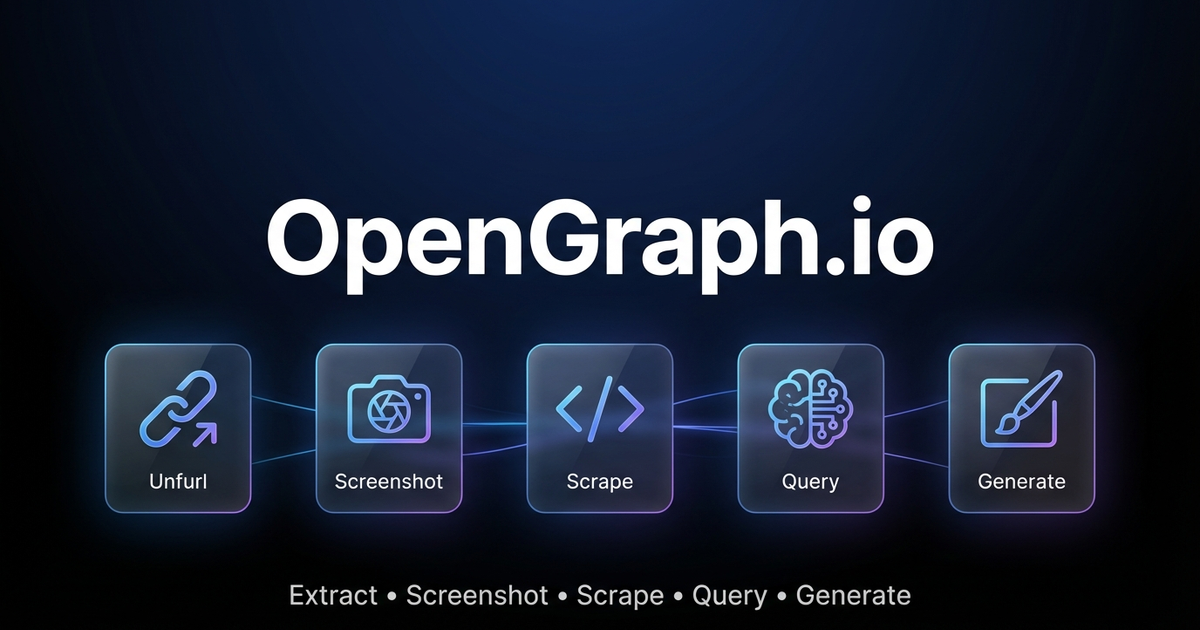
Extract web data, capture screenshots, and generate AI-powered images via OpenGraph.io APIs.
> 🤖 **AI Agents:** For complete parameter docs and patterns, also read [references/for-ai-agents.md](references/for-ai-agents.md).
---
## Quick Decision Guide
### "I need data from a URL"
| Need | Endpoint |
|------|----------|
| Meta tags / link preview data | `GET /site/{url}` |
| Raw HTML content | `GET /scrape/{url}` (add `use_proxy=true` if geo-blocked) |
| Specific elements (h1, h2, p) | `GET /extract/{url}?html_elements=h1,h2,p` |
| AI answer about the page | `POST /query/{url}` ⚠️ paid |
| Visual screenshot | `GET /screenshot/{url}` |
### "I need to generate an image"
| Need | Settings |
|------|----------|
| Technical diagram | `kind: "diagram"` — use `diagramCode` + `diagramFormat` for control |
| App icon/logo | `kind: "icon"` — set `transparent: true` |
| Social card (OG/Twitter) | `kind: "social-card"` — use `aspectRatio: "og-image"` |
| Basic QR code | `kind: "qr-code"` |
| **Premium QR marketing card** | `kind: "illustration"` — describe full design in prompt |
| General illustration | `kind: "illustration"` |
### QR Code: Basic vs Premium
**Basic** (`kind: "qr-code"`): Just the functional QR code.
**Premium** (`kind: "illustration"`): Full marketing asset with QR embedded in designed composition (gradients, 3D elements, CTAs, device mockups). Example prompt:
```
"Premium marketing card with QR code for https://myapp.com, cosmic purple gradient
with floating 3D spheres, glowing accents, 'SCAN TO DOWNLOAD' call-to-action"
```
### Diagram Tips
- Use `diagramCode` + `diagramFormat` for reliable syntax (bypasses AI generation)
- Use `outputStyle: "standard"` for structure-critical diagrams (premium may alter layout)
- ❌ Don't mix syntax with description: `"graph LR A-->B make it pretty"` will fail
---
## Pricing & Requirements
| Feature | Free Tier | Paid Plans |
|---------|-----------|------------|
| Site/Unfurl | ✅ 100/month | Unlimited |
| Screenshot | ✅ 100/month | Unlimited |
| Scrape | ✅ 100/month | Unlimited |
| Extract | ✅ 100/month | Unlimited |
| Query (AI) | ❌ | ✅ |
| **Image Generation** | ✅ **4/month** | Unlimited |
> 💡 **Try image generation free!** Get 4 premium image generations per month on the free plan — no credit card required.
Sign up at [dashboard.opengraph.io](https://dashboard.opengraph.io/register)
## Quick Setup
1. **Sign up** at [dashboard.opengraph.io](https://dashboard.opengraph.io/register) — free trial available
2. Configure (choose one):
**Option A: Clawdbot config** (recommended)
```json5
// ~/.clawdbot/clawdbot.json
{
skills: {
entries: {
"opengraph-io": {
apiKey: "YOUR_APP_ID"
}
}
}
}
```
**Option B: Environment variable**
```bash
export OPENGRAPH_APP_ID="YOUR_APP_ID"
```
---
## Clawdbot Usage (REST API)
Use `curl` with the `OPENGRAPH_APP_ID` environment variable. Base URL: `https://opengraph.io/api/1.1/`
### Extract OpenGraph Data (Site/Unfurl)
```bash
# Get OG tags from a URL
curl -s "https://opengraph.io/api/1.1/site/$(echo -n 'https://example.com' | jq -sRr @uri)?app_id=${OPENGRAPH_APP_ID}"
```
Response includes `hybridGraph.title`, `hybridGraph.description`, `hybridGraph.image`, etc.
### Screenshot a Webpage
```bash
# Capture screenshot (dimensions: sm, md, lg, xl)
curl -s "https://opengraph.io/api/1.1/screenshot/$(echo -n 'https://example.com' | jq -sRr @uri)?app_id=${OPENGRAPH_APP_ID}&dimensions=lg"
```
Response: `{ "screenshotUrl": "https://..." }`
### Scrape HTML Content
```bash
# Fetch rendered HTML (with optional proxy)
curl -s "https://opengraph.io/api/1.1/scrape/$(echo -n 'https://example.com' | jq -sRr @uri)?app_id=${OPENGRAPH_APP_ID}&use_proxy=true"
```
### Extract Specific Elements
```bash
# Pull h1, h2, p tags
curl -s "https://opengraph.io/api/1.1/extract/$(echo -n 'https://example.com' | jq -sRr @uri)?app_id=${OPENGRAPH_APP_ID}&html_elements=h1,h2,p"
```
### Query (Ask AI About a Page)
```bash
curl -s -X POST "https://opengraph.io/api/1.1/query/$(echo -n 'https://example.com' | jq -sRr @uri)?app_id=${OPENGRAPH_APP_ID}" \
-H "Content-Type: application/json" \
-d '{"query": "What services does this company offer?"}'
```
---
## Image Generation (REST API)
Base URL: `https://opengraph.io/image-agent/`
### Step 1: Create a Session
```bash
SESSION=$(curl -s -X POST "https://opengraph.io/image-agent/sessions?app_id=${OPENGRAPH_APP_ID}" \
-H "Content-Type: application/json" \
-d '{"name": "my-session"}')
SESSION_ID=$(echo $SESSION | jq -r '.sessionId')
```
### Step 2: Generate an Image
```bash
curl -s -X POST "https://opengraph.io/image-agent/sessions/${SESSION_ID}/generate?app_id=${OPENGRAPH_APP_ID}" \
-H "Content-Type: application/json" \
-d '{
"prompt": "A beautiful QR code linking to https://example.com with modern gradient design",
"kind": "qr-code",
"aspectRatio": "square",
"quality": "high"
}'
```
**Image kinds:** `illustration`, `diagram`, `icon`, `social-card`, `qr-code`
**Style presets:** `github-dark`, `vercel`, `stripe`, `neon-cyber`, `pastel`, `minimal-mono`
**Aspect ratios:** `square`, `og-image` (1200×630), `twitter-card`, `instagram-story`, etc.
### Step 3: Download the Asset
```bash
ASSET_ID="<from-generate-response>"
curl -s "https://opengraph.io/image-agent/assets/${ASSET_ID}/file?app_id=${OPENGRAPH_APP_ID}" -o output.png
```
### Step 4: Iterate (Refine an Image)
```bash
curl -s -X POST "https://opengraph.io/image-agent/sessions/${SESSION_ID}/iterate?app_id=${OPENGRAPH_APP_ID}" \
-H "Content-Type: application/json" \
-d '{
"assetId": "<previous-asset-id>",
"prompt": "Change the background to blue"
}'
```
---
## Natural Language Examples
When users ask in natural language, translate to the appropriate API call:
| User says | API to use |
|-----------|------------|
| "Get the OG tags from URL" | `GET /site/{url}` |
| "Screenshot this page" | `GET /screenshot/{url}` |
| "Scrape the HTML from URL" | `GET /scrape/{url}` |
| "What does this page say about X?" | `POST /query/{url}` |
| "Generate a QR code for URL" | `POST /image-agent/sessions/{id}/generate` with `kind: "qr-code"` |
| "Create a premium QR marketing card" | `POST /image-agent/sessions/{id}/generate` with `kind: "illustration"` + design in prompt |
| "Create a social card for my blog" | `POST /image-agent/sessions/{id}/generate` with `kind: "social-card"` |
| "Make an architecture diagram" | `POST /image-agent/sessions/{id}/generate` with `kind: "diagram"` |
### QR Code Options
**Basic QR Code** (`kind: "qr-code"`): Generates just the functional QR code with minimal styling.
**Premium QR Marketing Card** (`kind: "illustration"`): Generates a complete marketing asset with the QR code embedded in a professionally designed composition - gradients, 3D elements, CTAs, device mockups, etc.
```bash
# Premium QR marketing card example
curl -s -X POST "https://opengraph.io/image-agent/sessions/${SESSION_ID}/generate?app_id=${OPENGRAPH_APP_ID}" \
-H "Content-Type: application/json" \
-d '{
"prompt": "Premium marketing card with QR code for https://myapp.com, cosmic purple gradient background with floating 3D spheres, glowing accents, SCAN TO DOWNLOAD call-to-action",
"kind": "illustration",
"aspectRatio": "square",
"outputStyle": "premium",
"brandColors": ["#6B4CE6", "#9B6DFF"],
"stylePreferences": "modern, cosmic, premium marketing, 3D elements"
}'
```
---
## MCP Integration (for Claude Desktop, Cursor, etc.)
For AI clients that support MCP, use the MCP server:
```bash
# Interactive installer
npx opengraph-io-mcp --client cursor --app-id YOUR_APP_ID
# Or configure manually:
{
"mcpServers": {
"opengraph": {
"command": "npx",
"args": ["-y", "opengraph-io-mcp"],
"env": {
"OPENGRAPH_APP_ID": "YOUR_APP_ID"
}
}
}
}
```
See [references/mcp-clients.md](references/mcp-clients.md) for client-specific setup.
## More Details
- [references/for-ai-agents.md](references/for-ai-agents.md) — **AI agent reference** (tool schemas, decision trees, patterns)
- [references/api-reference.md](references/api-reference.md) — **Complete API documentation** (all endpoints, parameters, response schemas)
- [references/platform-support.md](references/platform-support.md) — **Platform support guide** (YouTube, Vimeo, TikTok, social media, e-commerce)
- [references/troubleshooting.md](references/troubleshooting.md) — **Troubleshooting guide** (common errors, debugging tips)
- [references/image-generation.md](references/image-generation.md) — Image presets, styles, templates
- [references/mcp-clients.md](references/mcp-clients.md) — MCP client configurations
AdMapix 的取數層:把廣告與應用相關的查詢轉成介面呼叫,只回原始 JSON。
透過 Tavily 搜尋公開網頁,並回傳含連結與摘要的結構化結果。
把資料庫、表格與匯出的原始資料變成可決策結論的資料分析技能。
彙總美股、期貨與財經快訊的資訊工具。
該技能分析資料並產生互動式 HTML 視覺化儀表板。
用 Yahoo Finance 資料做股票與加密貨幣分析、組合跟蹤的技能。
把微信公眾號文章抓下來,轉成 Markdown 並連同圖片存到本地。
按策略篩選 A 股標的的技能。
資料月份:2026-10 · 下載/星標數聚合自公開技能註冊庫(ClawHub、SkillHub),按月更新。口徑說明見資料方法。